Today we are launching the beta of NASEBANAL Target — a goal-management app that lets you decompose goals as a tree and visualize progress with real data from NASEBANAL Recorder.
Why we built it — a shared "recipe" behind human growth
In our previous post on Recorder, we described how the author's experience of breaking through a plateau in English study shared a structural pattern with a college friend's journey out of a tennis slump — different fields, the same underlying shape.
A similar pattern shows up in pro sports. As a first-year high-school student, Shohei Ohtani famously filled out a Mandala Chart: a 9×9 grid with "first-round draft pick from 8 teams" at the center, eight mid-level sub-goals around it — body, control, mentality, and even "luck" and "character" — each further broken down into concrete daily behaviors like greeting people or picking up litter.
English study, tennis, baseball — the fields differ, but we believe the process of growth shares common patterns: (1) define the goal clearly, (2) decompose the process for reaching it, (3) push that down to daily actions, (4) track outcomes and revise the structure as you go. Whether the domain is study or sport, there is a process behind growth — and beyond running it for yourself, we believe sharing those processes themselves can help amplify others' growth as well.
NASEBANAL Target is the tool we designed to support this defining and managing of goals.
A hierarchical goal tree
The core of Target is a UI for editing goals as a tree with parent–child relationships. Where the Mandala Chart uses a fixed 3×3 layout — eight children arranged around a single center — Target adopts a more flexible tree structure, so the number of children and the depth of the hierarchy can be tailored freely to the field and level of granularity. The tree accommodates both tidy top-down decomposition and a more mind-map-like style where ideas are branched out organically, and nodes can be rearranged intuitively by drag and drop.
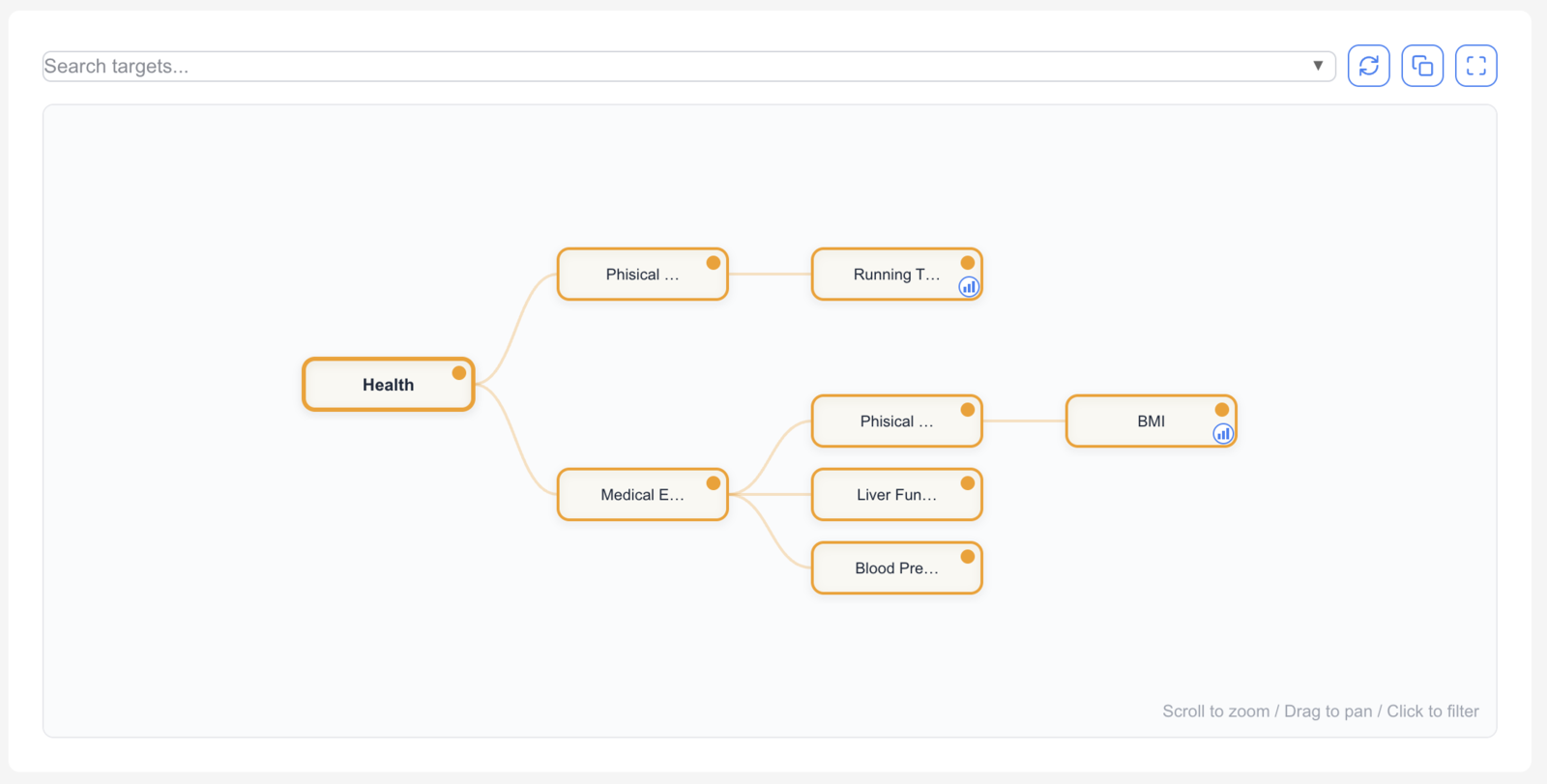
- Place a long-term ambition at the root, mid-level sub-goals as children, daily actions as leaves — at any depth you need.
- The whole tree is rendered interactively with D3.js, so you can zoom and pan between the big picture and the details.
- "Spin up branches for whatever comes to mind first, then tidy up the structure afterwards" works naturally inside the same tree.
This structure makes the "big goal → sub-goal → action" relationship visible at a glance. When something is off track, you can tell whether the decomposition was too coarse or the execution was simply insufficient.
Recorder integration — pop a chart open right from the node
Every node in the tree can be linked to an NASEBANAL Recorder tag. When a node has a tag attached, a small chart icon appears in its bottom-right corner.
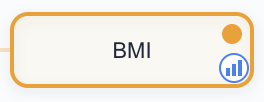
Clicking that icon pops up the time-series chart for that metric, so you can check the relationship between the goal line and the actual values without leaving the tree.
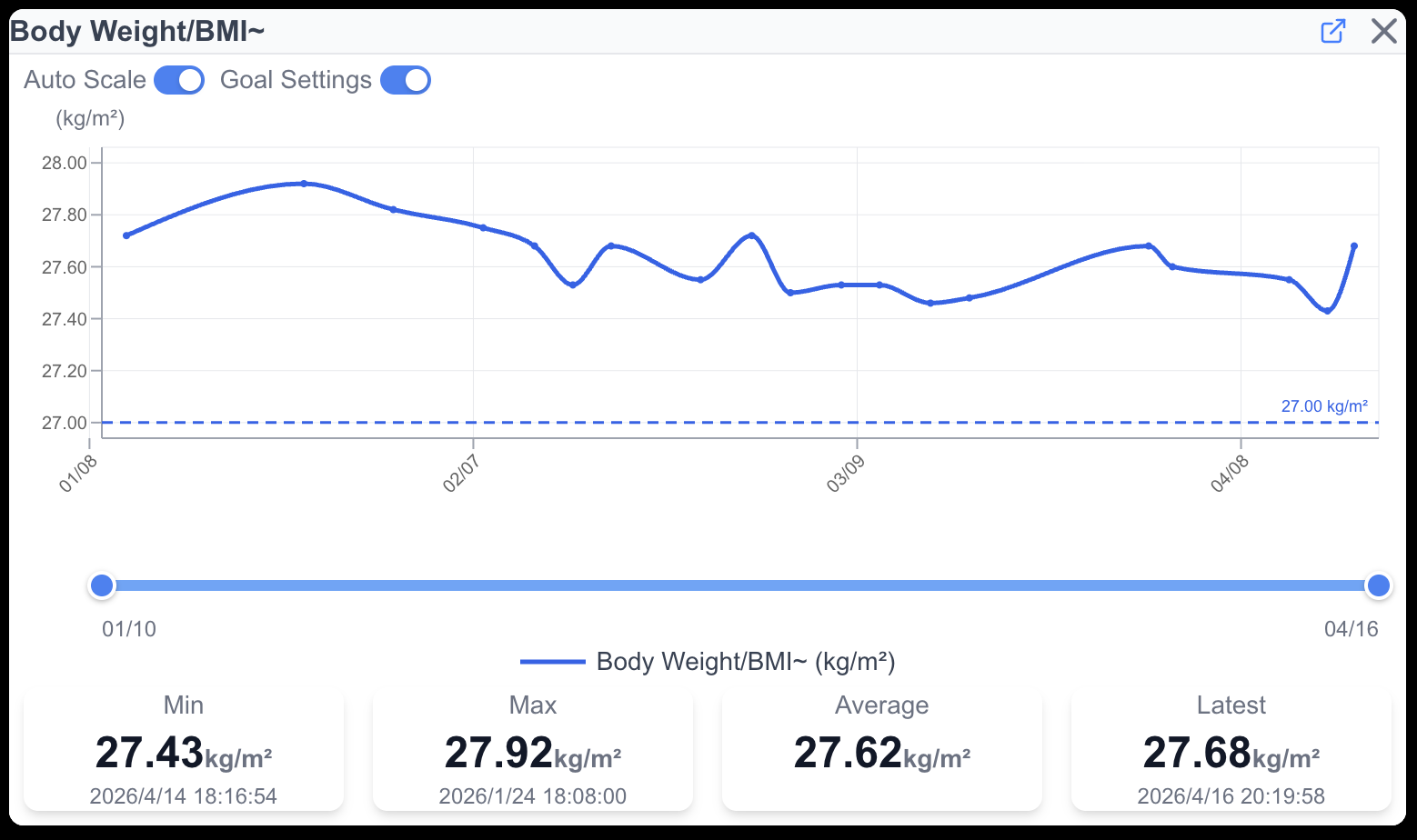
- Attach
toefl_totalto a "TOEFL score" node, and you can review the score trend right from the node detail. - Attach
study_timeto a "Weekly study hours" node, and Stopwatch-fed records flow straight into the tree. - Any metric already in Recorder — weight, blood pressure, lap times — can be wired to a node.
Goals and measured data are no longer scattered across apps. You can see, in one place, which goal you are working toward and how much you are actually moving. The split between goal-setting and measurement is one of the biggest enemies of sustained effort.
Surfacing achieved goals
Goals you only set don't keep going on their own. Seeing what you've already achieved, visibly, is what fuels the push toward the next one. Target makes achieved goals stand out at a glance — both in the tree and in the list.
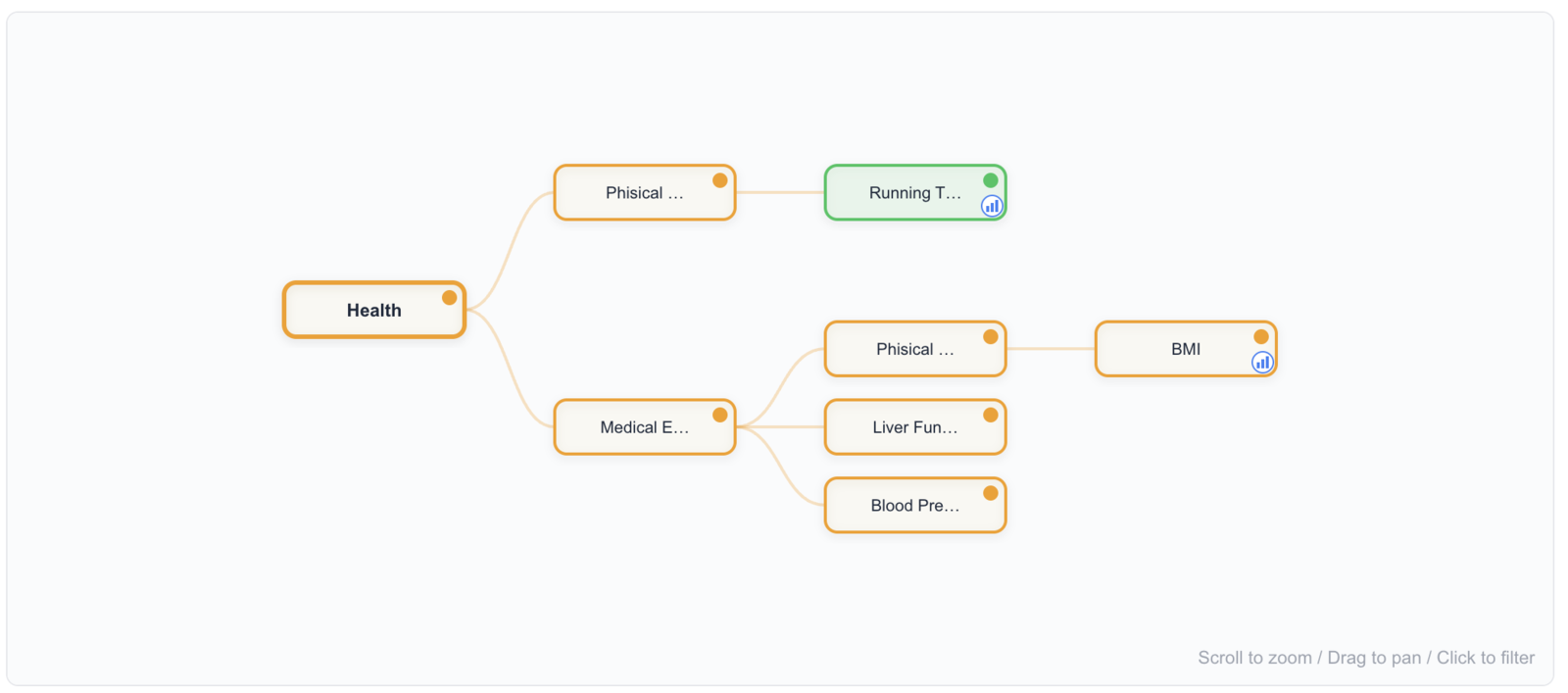
Achieved nodes turn green in the tree
Toggle a node to "Cleared" and the node turns green in the tree. Set against the still-orange in-progress nodes around it, you can see how far the structure has actually advanced — without losing the structure itself.
The Targets list view shows progress bars and a Cleared toggle
When you want a flat overview rather than the tree, the Targets list view is the place. Nodes with a Recorder tag attached show a progress bar (current value / goal value), and achieved goals have the CLEARED toggle on the right flipped on.
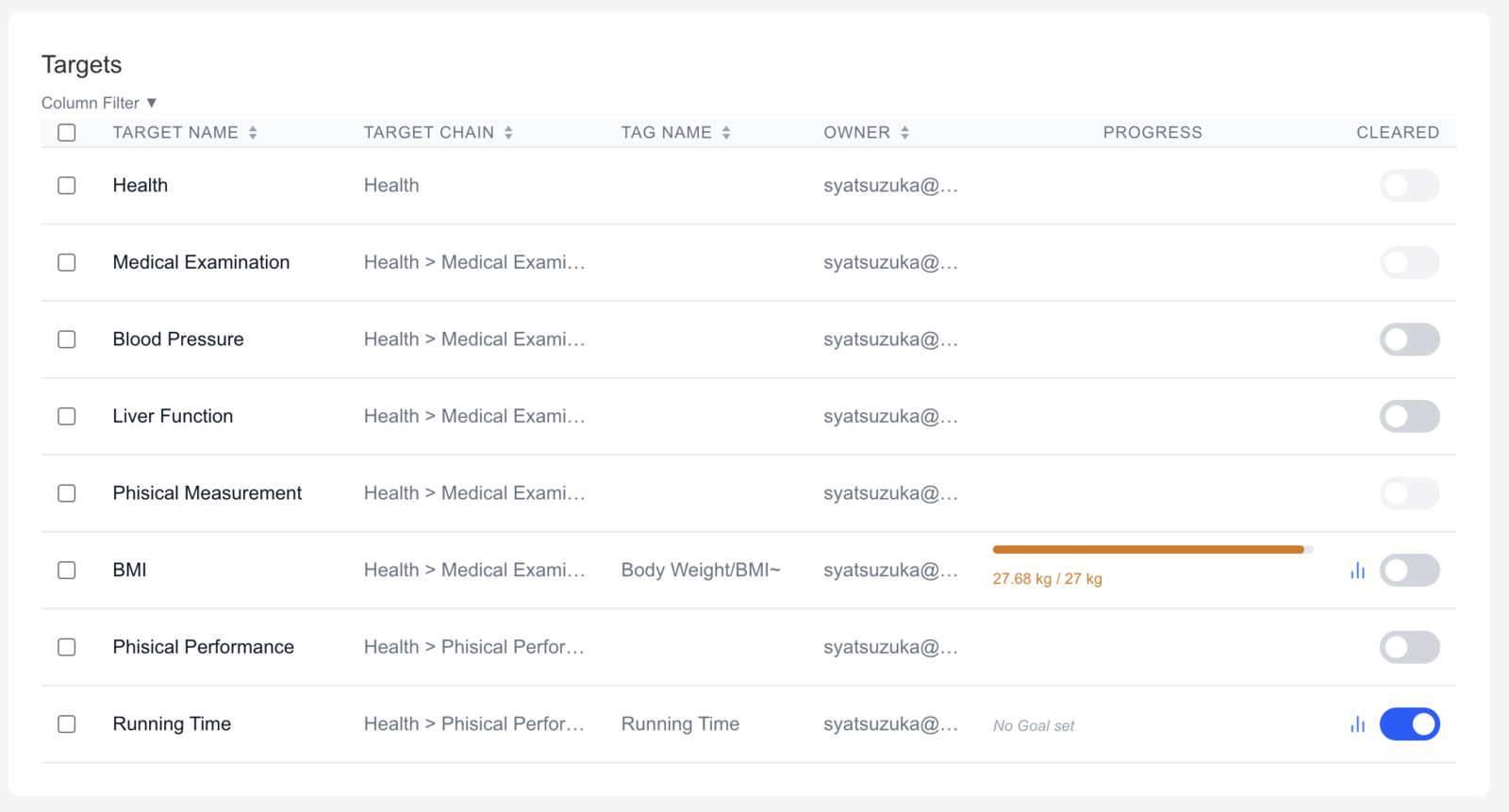
- The progress bar visualizes the current value relative to the goal (e.g., weight 27.68 kg / target 27 kg).
- You can also flip the CLEARED toggle manually to declare a goal achieved.
- Sort and filter let you narrow down to "almost there" or "already cleared" states.
Surfacing achievement isn't only for your own retrospective. For coaches or family members you've shared the tree with, it's a concise way to communicate what has actually moved.
Sharing the tree = sharing the Recorder data it carries
The other core feature is that goal trees themselves can be shared with other users. Sharing is not limited to the outline — it carries data with it:
When you share a tree, the Recorder tag data attached to each node is shared along with it.
- Share a training plan tree with your coach, and they see lap times and training volume visualized in the right structural context.
- Share a health-goal tree with a family member, and they see weight and blood-pressure trends alongside the goals they support.
- Share a study plan with a tutor, and they review daily study time and mock-test scores on the same canvas.
Recorder's sharing was per-tag. Target lets you share by goal structure, so what you share is not just numbers but the reason you were tracking them in the first place.
Read and write permissions work the same way as in Recorder, so the model fits a range of relationships.
Example use cases
- Sports: A coach sees an athlete's goal tree, training logs, and condition metrics in one place.
- Education: A tutor reviews a student's study plan and execution, tree plus charts.
- Health: Share structured health goals and vitals with family or a physician.
- Career and skills: Share a skill tree and the learning time / output metrics behind it with a mentor.
- Personal PDCA: Decompose your own long-term goals and review them against Recorder data.
About the beta
During the beta, all features of our top plans — including Family — are free to use. Head to NASEBANAL Target and try decomposing one of your own goals. Feedback is very welcome via our contact form.
Looking further ahead, if users who have already achieved results in some domain are willing to share or publish their goal trees, each tree could serve as a sample of how a high performer actually organized their structure, and collectively those trees could begin to function as a library of growth recipes. Your feedback during the beta is also invaluable input for that direction.