In the previous post, having lined up the Web app, the SDK, and the CLI as Consumers of a single OpenAPI spec, I said the next step I wanted to take on was mobile app development — and this post is that follow-up. I'm currently building NASEBANAL Growth Mobile and want to share the experience here; I plan to release it properly once I've added a bit more functionality. In the course of building it, because the mobile app's screens were comparatively simple to implement, dark mode came smoothly too — and to unify the look and feel, I rolled it out to the Web apps as well. Touching on the lessons that came out of that work, I'll close by talking about how this whole flow maps onto the approach I've been shaping for supporting in-house development.
Building NASEBANAL Growth Mobile
NASEBANAL Growth Mobile is an Expo / React Native client that bundles the three NASEBANAL Growth apps — Target, Recorder, and Stopwatch — into a single mobile app. Rather than shipping three separate apps, I gathered them behind one shell with cross-app bottom tabs, so that each app's core screen lives under one consistent UI language, reached with a single account and a single login.
For now this unification is mobile-only — on the Web, the three still run as separate apps — but I'm planning to bring the same kind of integrated, single-shell screen to the Web version in the future.
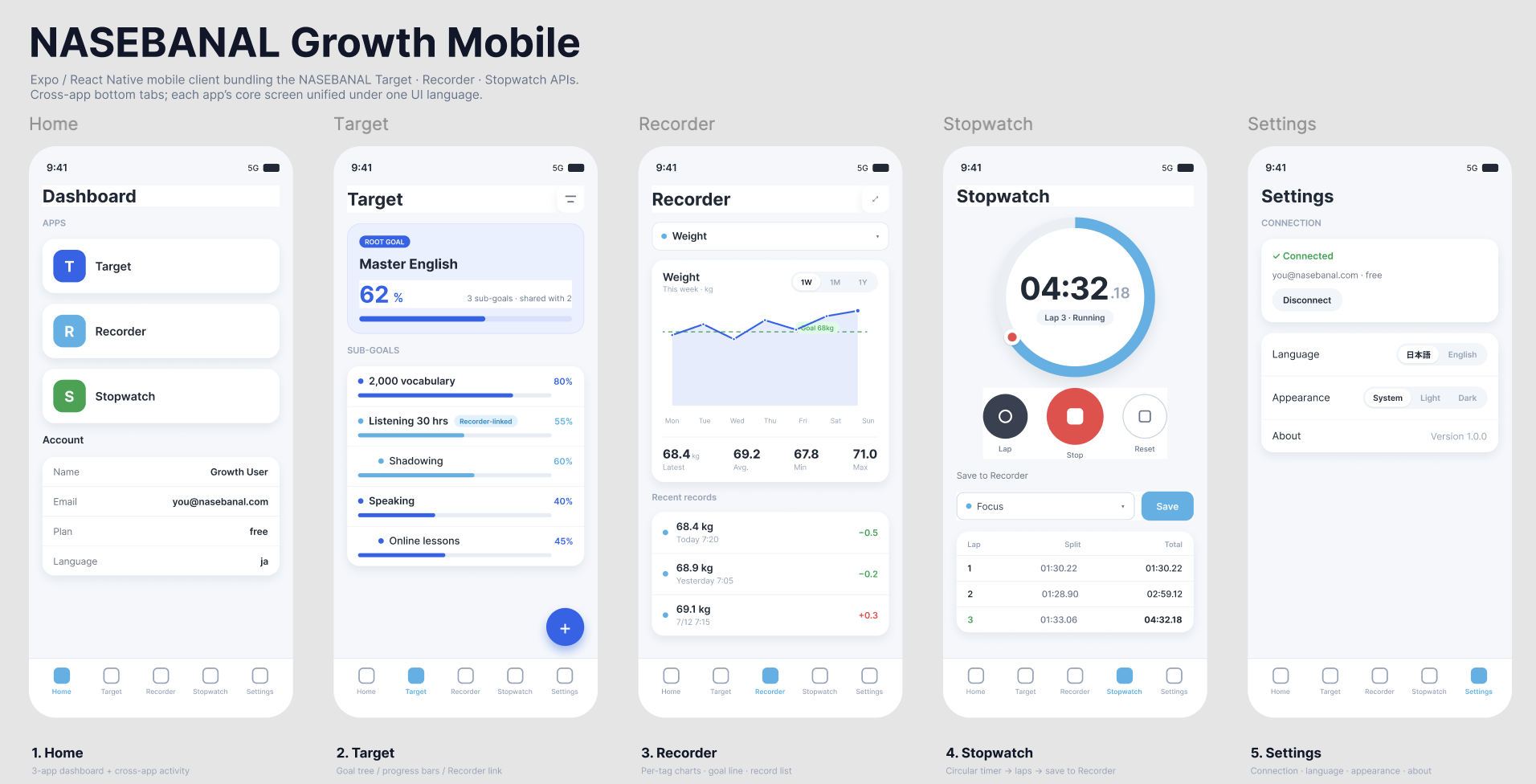
What I want to record here, though, is less the app itself than how it was built. The flow went like this:
- Take the existing Web UI as the baseline. The Growth apps already exist on the Web, and they're reasonably settled in how they behave. So rather than designing the mobile UI from a blank canvas, I set the Web UI as the starting reference.
- Design the screens with Figma MCP, driven from inside Claude Code. Working from the web screens, I had Claude Code drive Figma through its Remote MCP integration — composing the screens from the component level up, in natural language.
- Fine-tune the Figma stills by hand — and treat them as the master. The generated frames aren't the finish line; I adjusted spacing, the tab bar, and the mobile ergonomics on the Figma screen images until they felt right on a phone. Those hand-tuned screens then became the *master* — the reference the AI reads as input when it generates the code.
- Auto-generate the app from those screens plus the OpenAPI Spec. With the finalized screens as one input and the OpenAPI Spec — the very same contract the Web app, SDK, and CLI already consume — as the other, I let AI coding assemble the app. The screens drive the presentation; the spec drives the data layer and the API client.
Driving Figma through its Remote MCP is a paid feature, but it earned its keep. Being able to compose screens from the component level in natural language, and then feed the hand-tuned result back as the master the AI codes against, let me land on designs that stay mindful of operability and standards-compliance — font sizes, panel structure, and the like — while still working my own ideas into concrete form.
The point I'd underline is that the app came together from two well-defined inputs: a set of screens that fixes *what it looks like and how it behaves*, and a spec that fixes *what data flows underneath*. Neither was improvised. The screens came from design; the data wiring came from the contract.
Lesson 1 — Using Figma to Align the Spec Between AI and Human
Looking back, building the mobile screens went relatively smoothly — and a big reason was that I didn't jump straight into implementation. I first used Figma MCP to have the AI draft the screen composition: working from the web screens, I had Claude Code compose the layouts from the component level up in natural language, then hand-tuned the generated frames before moving on to code. That hand-tuned Figma design stuck around as an intermediate artifact — the clear reference the AI reads when it generates the implementation.
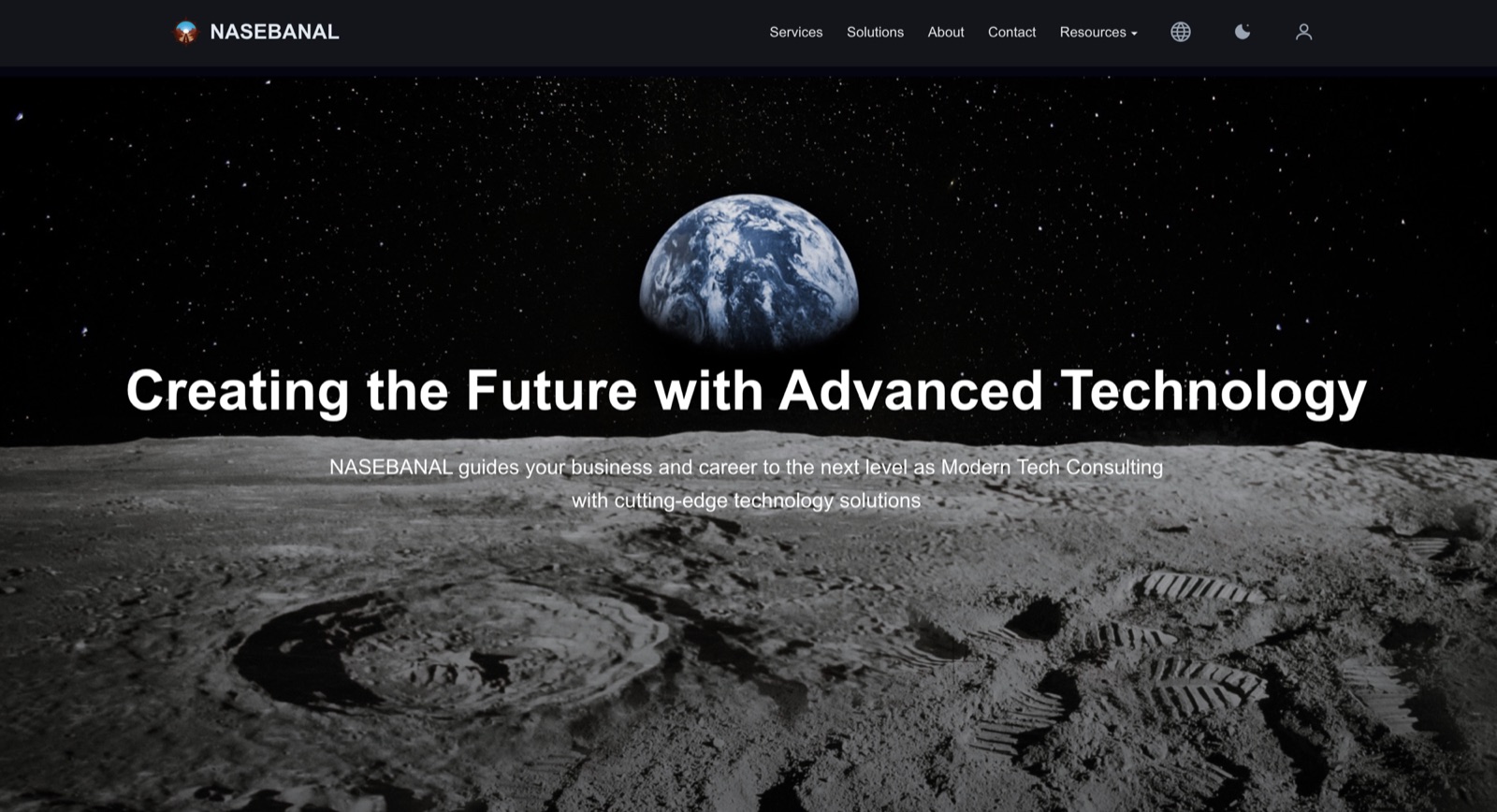
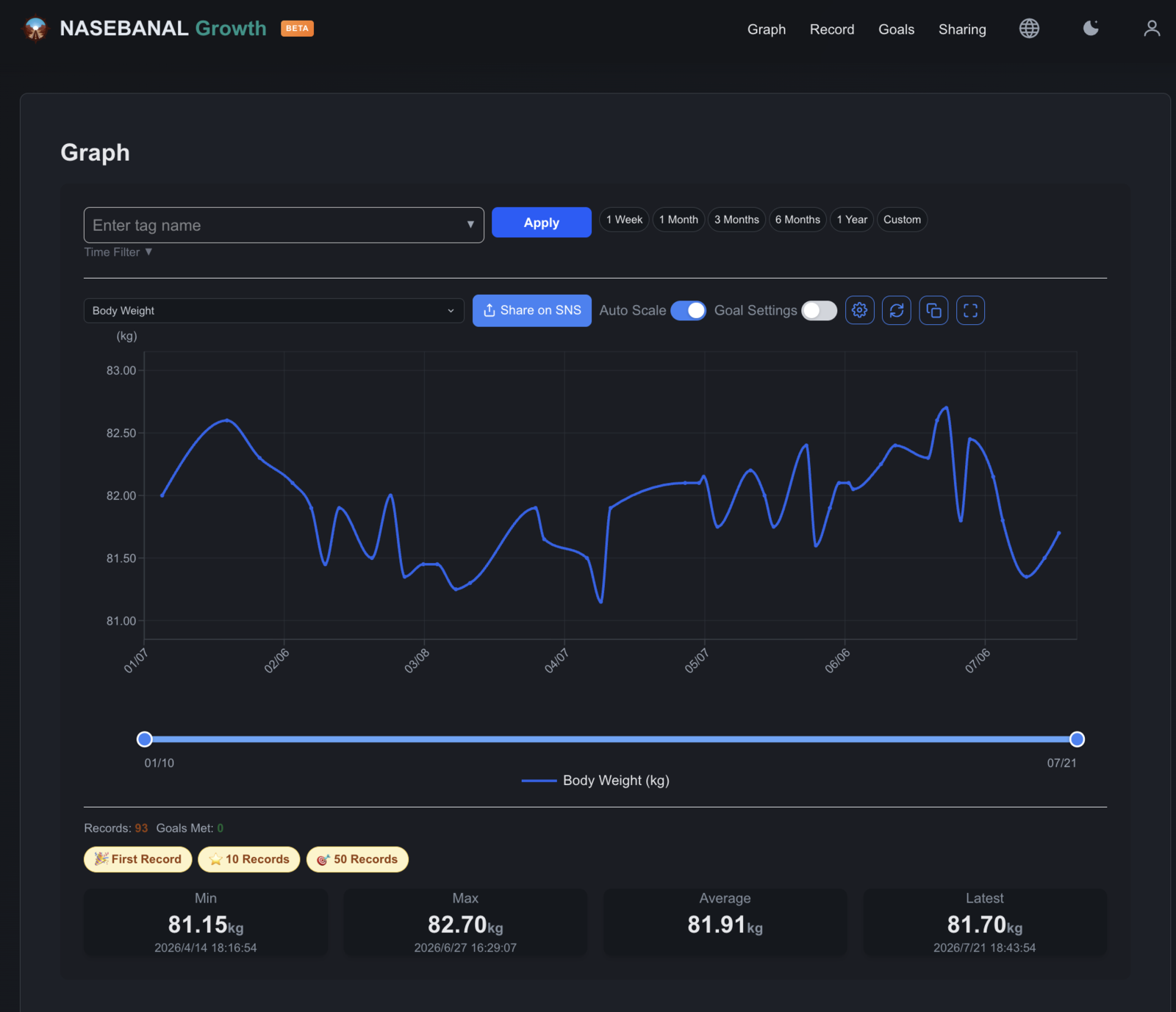
Along the way, dark mode — which came almost for free on mobile — gave me the nudge to bring it to the Web apps too. React Native surfaces the OS appearance setting directly, and because our colors were already expressed as tokens rather than hard-coded values, getting the Claude Code-generated UI to honor the system's light/dark preference was a small change on mobile rather than a hand-fix swept through every screen. The landing page and every Growth app now support Light / Dark / System as well.
But once I actually started on the Web, it played out differently. I'd built those screens straight from prompts, without going through Figma, and the layout took repeated back-and-forth to settle. There are simply more components on a Web screen than on mobile, but thinking back on it, there were times when instructions like "push these elements out to the left and right edges" or "add more space between a panel and the button beneath it" didn't land the way I intended — likely because the panel hierarchy runs deep. The dark-mode pass was no different: unlike on mobile, it didn't fall into place in a single go — it took directing the color values component by component before it finally came together.
In hindsight, rather than tweaking that first screen implementation straight through vibe coding, I could have done what I did on mobile — dropped the screen image into Figma over Remote MCP first, settled that intermediate design by hand, and then fed it back for the AI to refine on the way to implementation. That kind of step would have let me work with a clearer grasp of the screen's structure — and made the AI-coded implementation go more smoothly. That's one of the lessons I'm taking into future app development.
Lesson 2 — Being Mindful of Architecture
With vibe coding, the natural instinct is to just prompt for whatever feature you want next. That's how I started, too. But as development went on, I kept running into moments where extensibility and reuse across apps came into play — and each time, I was pushed to revisit the architecture.
Concretely, these were the questions. How do you unify common components like the NavBar and Footer across apps? How do you share the login session (i.e. SSO) across them? How do you keep a style like dark mode consistent from one app to the next? How do you share the OpenAPI Spec that Specmatic needs across multiple applications? How do you manage subscription plans across apps?
The lessons I gathered working through those questions, recorded as a template app, should pay off not only in my own later development but in the work I do for clients I support down the road. In the age of AI coding, I suspect the added value will come not just from differences between the AI engines you use, but from the assets built on this kind of accumulated know-how.
In Closing — This Is the In-House-Development Support I'm Aiming For
Step back from the mechanics of Growth Mobile, and the flow maps almost exactly onto the approach I've been shaping for supporting in-house development (内製化).
The idea is this. A business organizes two things: its screen requirements — using Figma and tools like it — and its API spec. From those two well-defined inputs, the frontend is produced through AI coding. That's precisely the path I walked to build Growth Mobile: screens on one side, spec on the other, AI assembling the frontend in between.
At the same time, the API spec defined there becomes the contract. The API itself can then be outsourced and operated/maintained as needed, with its conformance verified against that contract — the Contract-Driven Development mechanism I wrote about last time. This division of labor buys two things that matter to a business:
- Agility. The frontend, being the part closest to the user, can be developed in-house and deployed at high frequency, near the client — turning the feedback loop quickly where responsiveness pays off most.
- Resilience. Even if the frontend suffers an outage, as long as the API is alive, data access can be kept up as a business workaround — through the API itself, or, increasingly, through an MCP that connects to an LLM. The frontend going down doesn't have to mean the business stops. And when the backend's work is factored out cleanly as API calls, running it on serverless like Cloudflare Workers, or on Kubernetes, makes stable operation through autoscaling relatively easy to achieve as well.
The user-facing frontend is built in-house from screens and a spec; with that spec as the contract, the backend is sourced flexibly while its quality stays guaranteed. Under NASEBANAL Evolution, I plan to go one step further and build a platform that turns API quality assurance into a system — a foundation that continuously verifies conformance against the contract, so that quality holds even for a backend that's been outsourced. By combining the templated artifacts with this quality-assurance mechanism, I want to support clients' in-house development on firmer ground.
I'll share another update on NASEBANAL Evolution (the API quality-assurance platform) in due course.